Spend together, split fairly.
Trips, shared flats, couples or parties: whoever pays adds it to Teilo. The app works out to the cent who owes whom and settles up with as few payments as possible.
For iPhone, iPad and Mac, on iOS 18 and macOS 15 or later. One group of your own is free. No account, no ads.


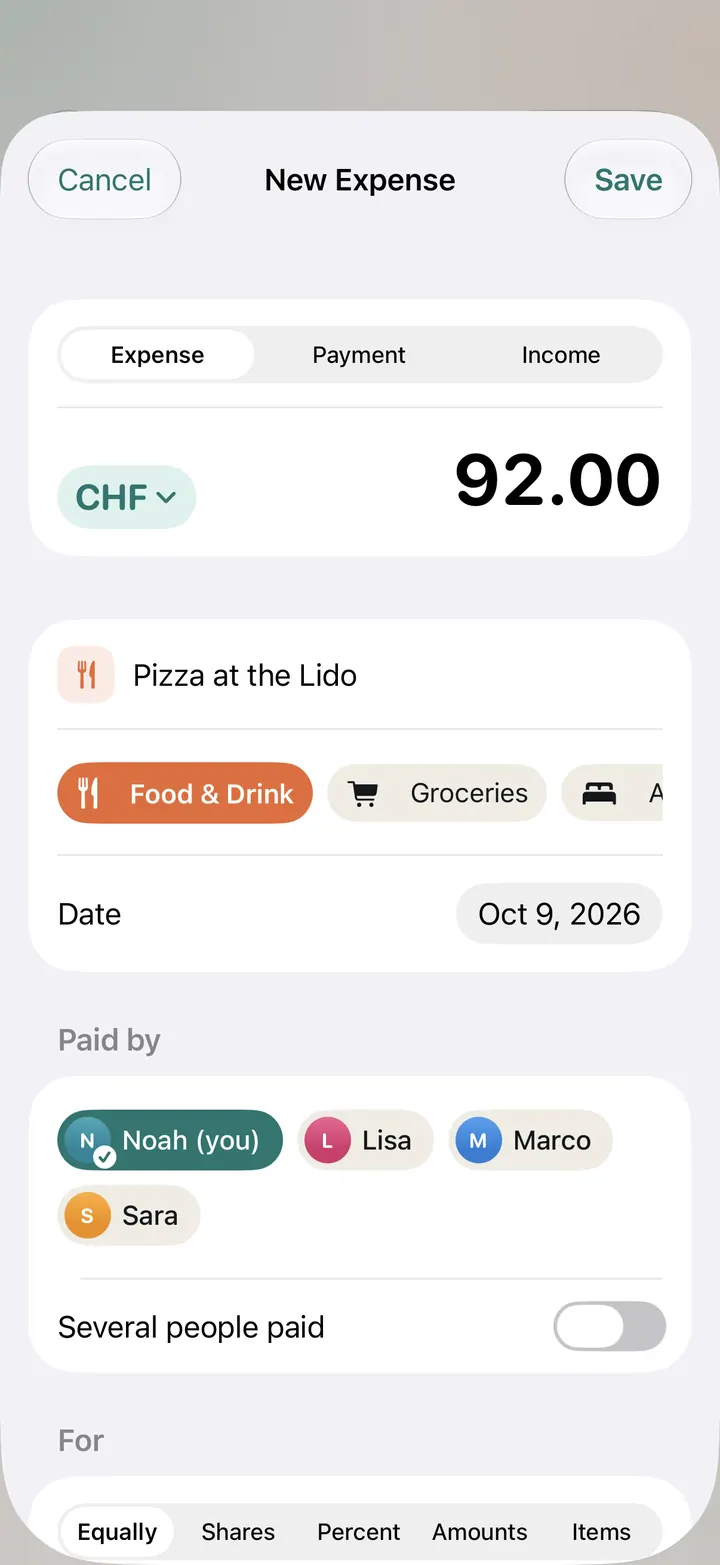
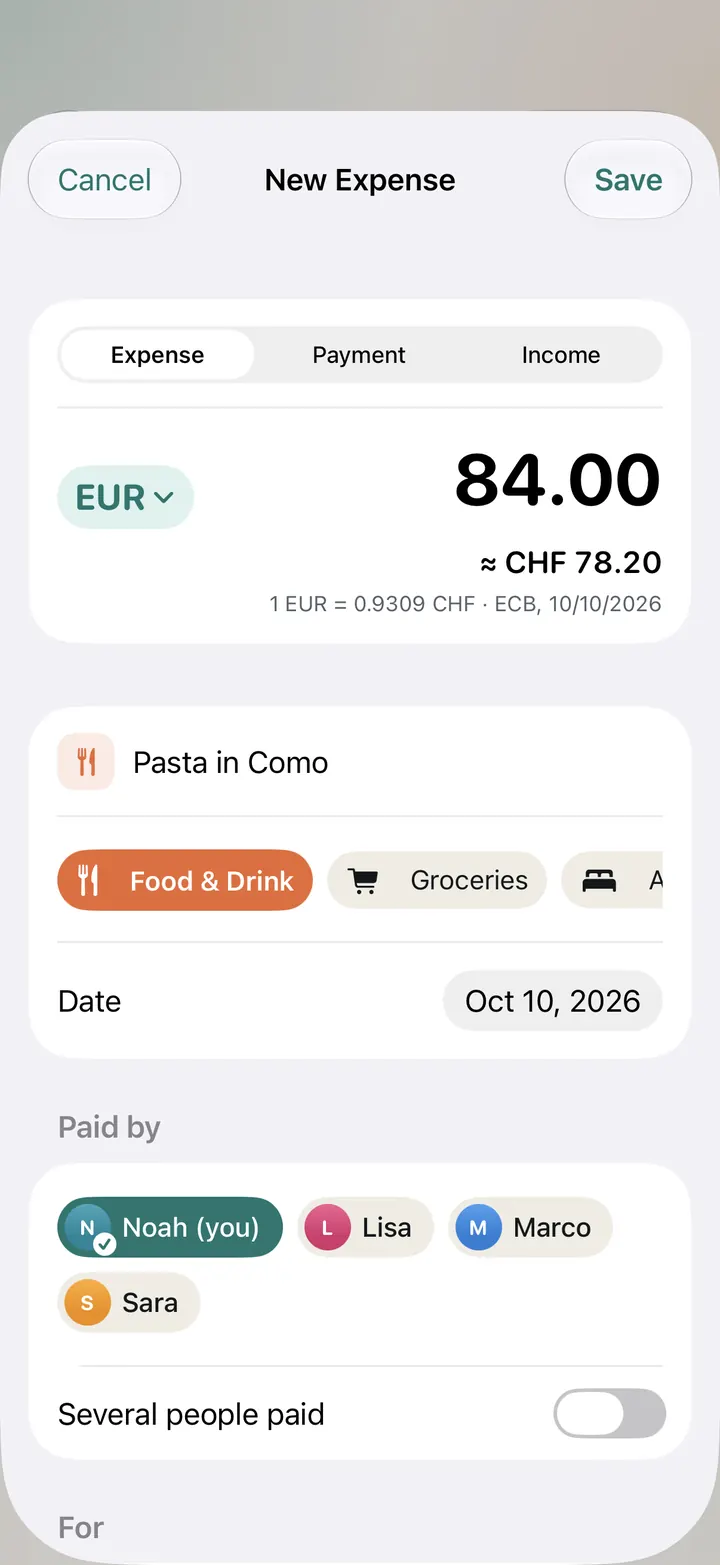
Amount, title, save. Who paid and for whom is already filled in.
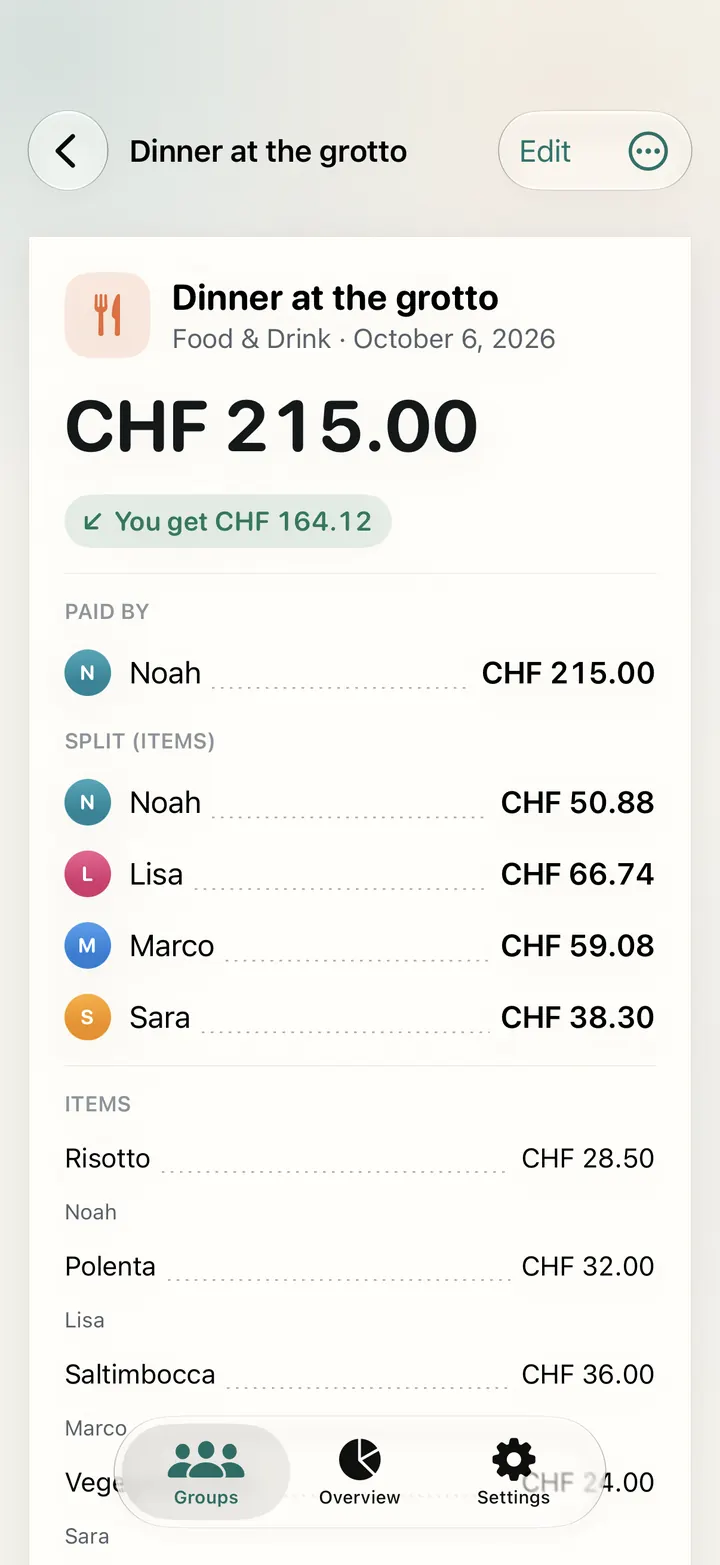
Equally, by shares, by percentage, by fixed amounts or by the items on the bill.
Converted into the group's currency at the rate of the day you spent.
What's left when you add up all the balances in a group. Every time.
From receipt to settled.
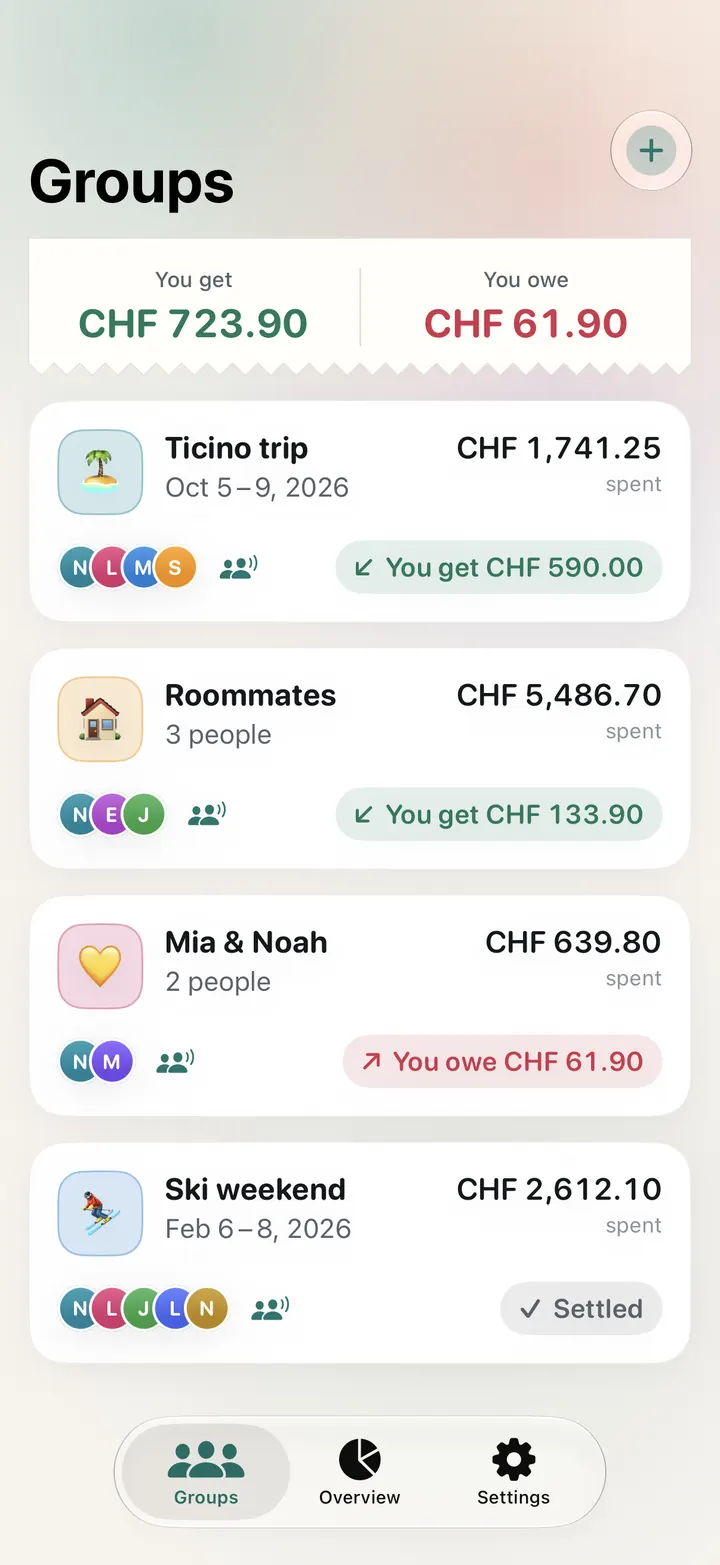
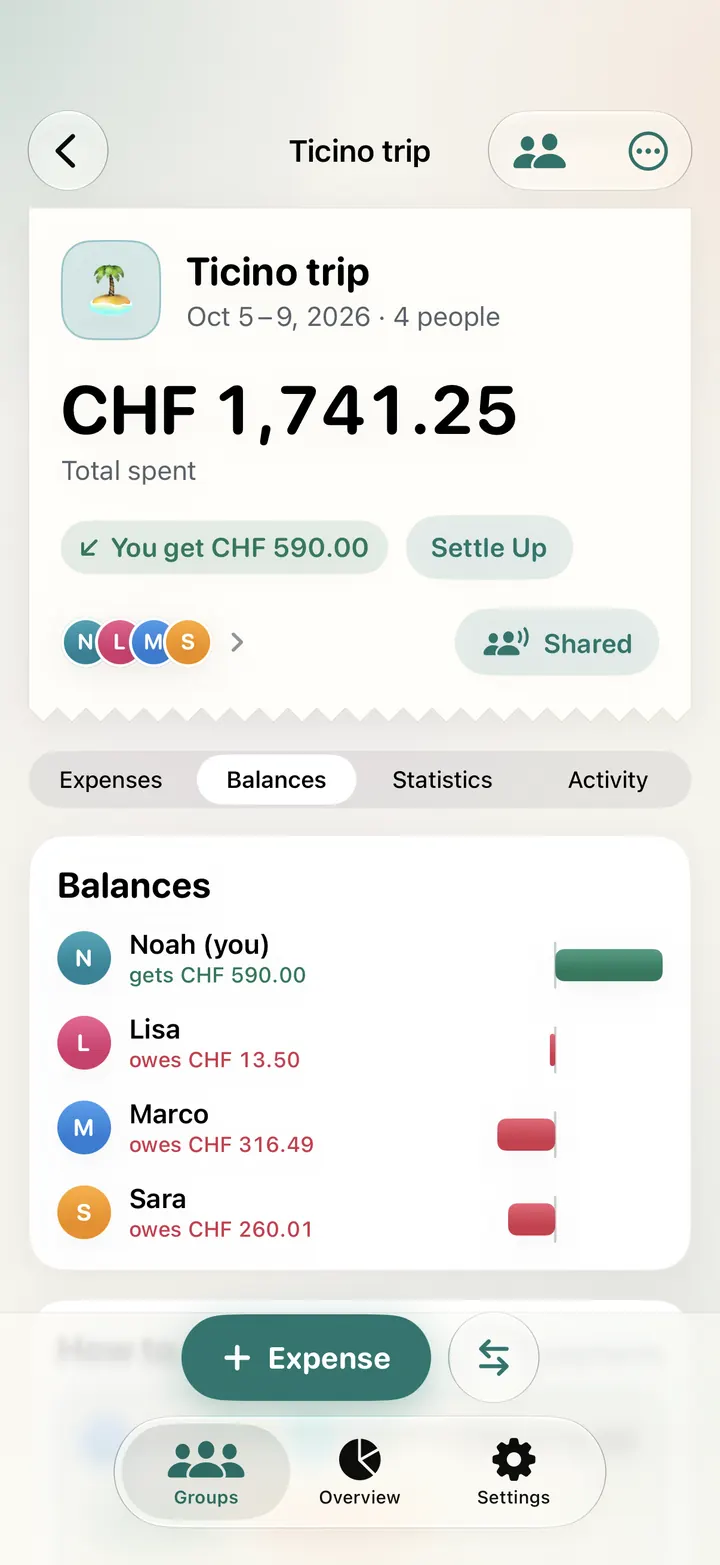
One group per trip, flat or couple. Everyone adds expenses, and Teilo keeps the tally.
Create and share a group
There are templates for a trip, a flat, a couple and an event. Send the group link via Messages, WhatsApp or Mail. Whoever opens it joins with their own Apple Account.
Add expenses
Amount, title, save. That you paid and everyone pays the same is already set. The others see the entry on their device moments later.
Settle up
Teilo suggests who pays how much to whom. Once the money has arrived, tap “Paid” and Teilo records the payment.
One bill, every share.
Lisa had the pizza, Noah the risotto, and all three shared the wine. Enter the bill item by item and Teilo works out what each person owes, tip included.
Each item is paid by whoever had it. Tips and discounts are spread in proportion to the items.
- Pizza Margherita19.00
- Risotto24.00
- Wine, 1 liter36.00
- Tiramisu9.00
37.64 + 32.41 + 21.95 = 92.00
Equally
Everyone or just part of the group, the same amount each.
Shares
A couple counts double, a child half.
Percent
60 to 40 when two people split by income.
Amounts
Each person with a fixed amount. Teilo can spread the rest evenly.
Several payers
Two of you paid at the till? Enter both with their part.
Other currency
An expense in euros, the group in francs. Teilo uses the rate of the day you spent.
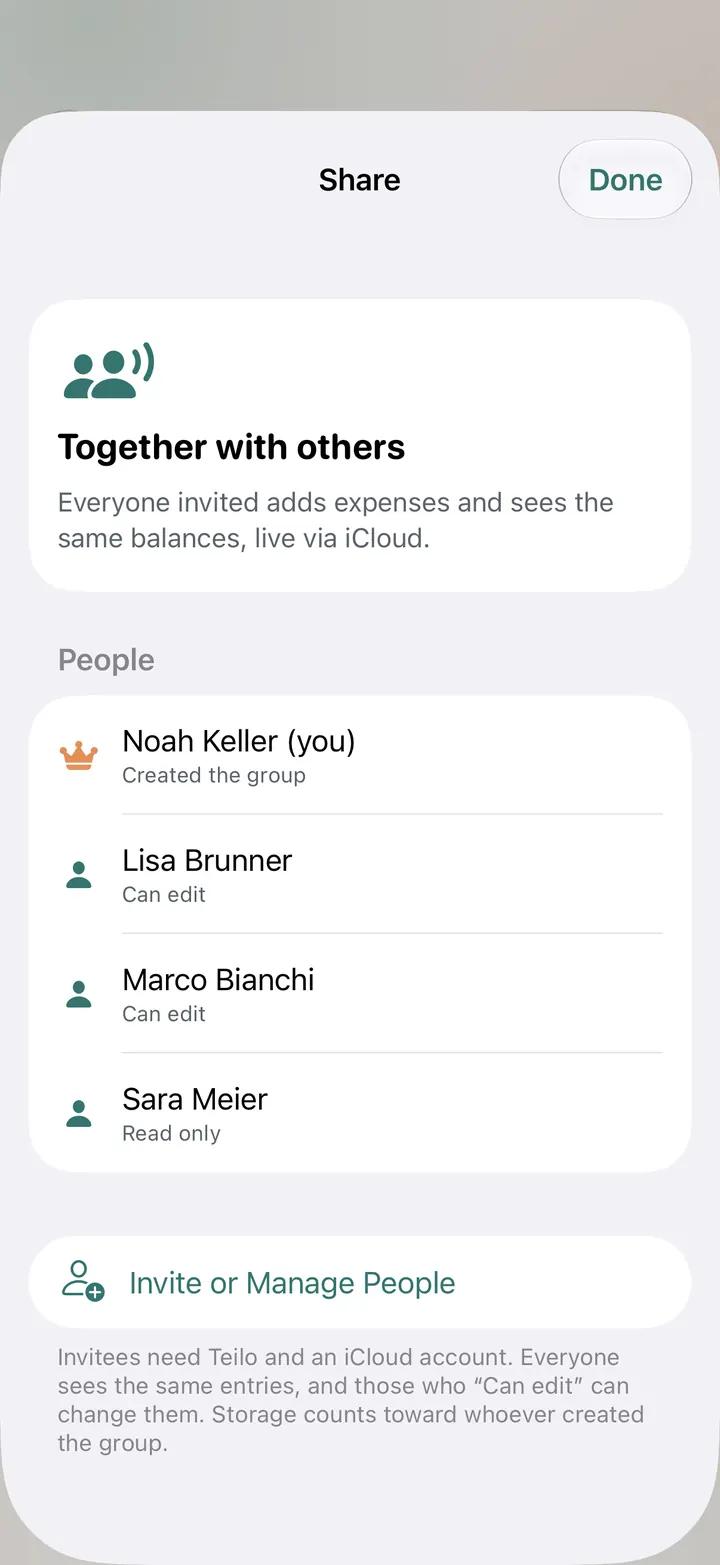
Everyone joins in.
Teilo runs on Apple's iCloud. Everyone stays signed in with their own Apple Account, and there is no account with us. What someone adds shows up on every device in the group moments later, Mac included. If you like, Teilo tells you about new entries from the others.
Who are you?
When you join, tap your name. From then on, Teilo shows your share and what you get back or owe.
Edit or read only
When you invite people, you decide who can add entries and who can only look.
Activity with names
Who changed the “cable car”? The activity list shows every entry with a name and a time.
Works offline
Add expenses in a mountain hut without signal. As soon as the device is back online, Teilo syncs.
All square in a few payments.
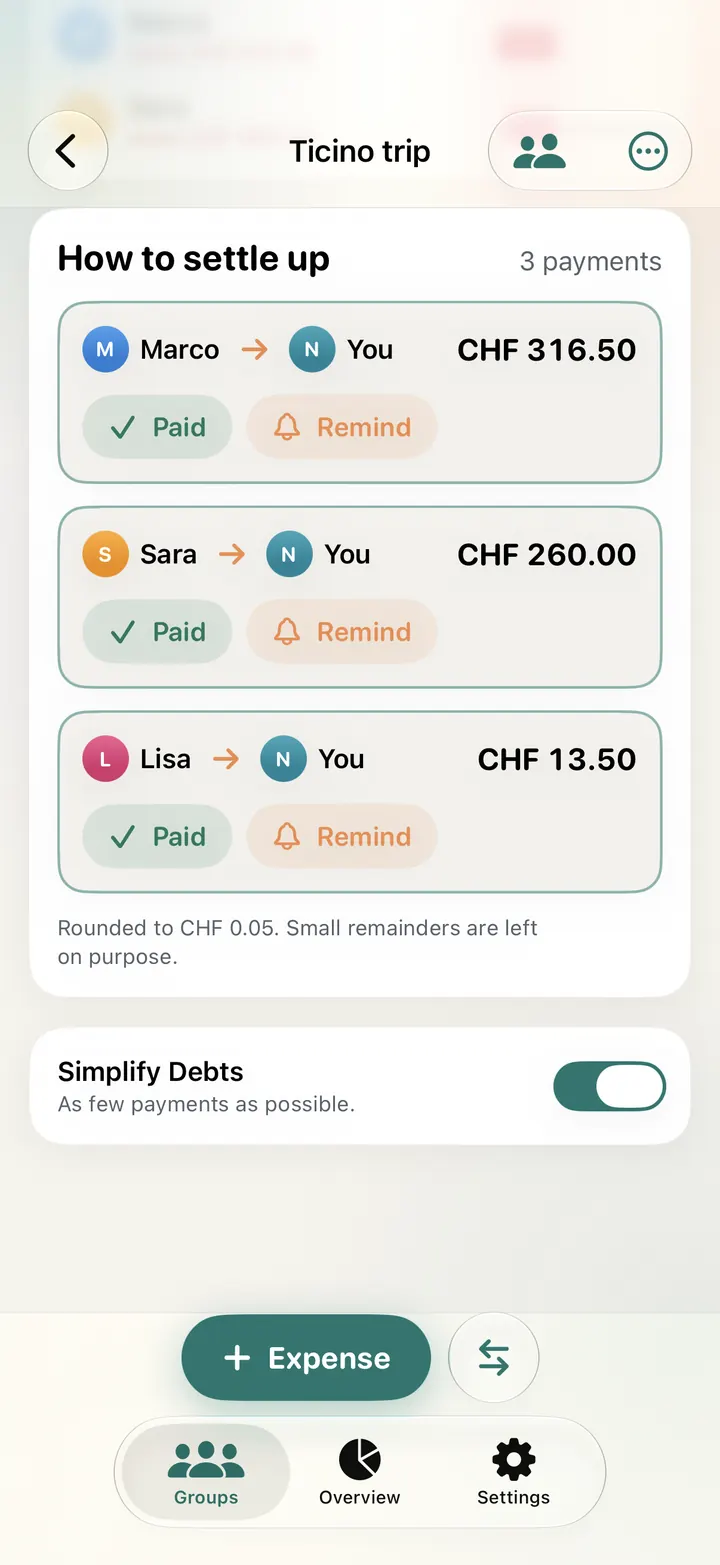
Paid back directly, everyone would repay each person who paid for them. On the Ticino trip with four people, that makes six transfers. Teilo nets the debts against each other, and three are left. Try the switch.
- “Paid” records the payment, and the balances update right away.
- “Remind” sends the open amount via WhatsApp or Messages, with the TWINT number, IBAN or PayPal link of the person getting the money.
- You pay by TWINT, bank transfer or cash. Teilo only does the math and never moves money.
- With Swiss francs, Teilo rounds payments to CHF 0.05. Each group can change this.
How to settle up
3 payments6 payments- MarcotoNoahCHF 316.50
- SaratoNoahCHF 260.00
- LisatoNoahCHF 13.50
- MarcotoNoahCHF 218.35
- SaratoNoahCHF 207.90
- LisatoNoahCHF 163.75
- MarcotoLisaCHF 77.70
- SaratoLisaCHF 72.55
- MarcotoSaraCHF 20.45
Rounded to CHF 0.05. Small remainders are left on purpose.
See where the money goes.
On the Ticino trip, a good third went on accommodation and almost a quarter on food and drink. Teilo shows every group by category and by day, and who covered how much.
Categories
Every category as a ring, with amount and share. Plus the total and the amount per person.
Overview
All groups together: what you get back, what you owe and which payments are still open.
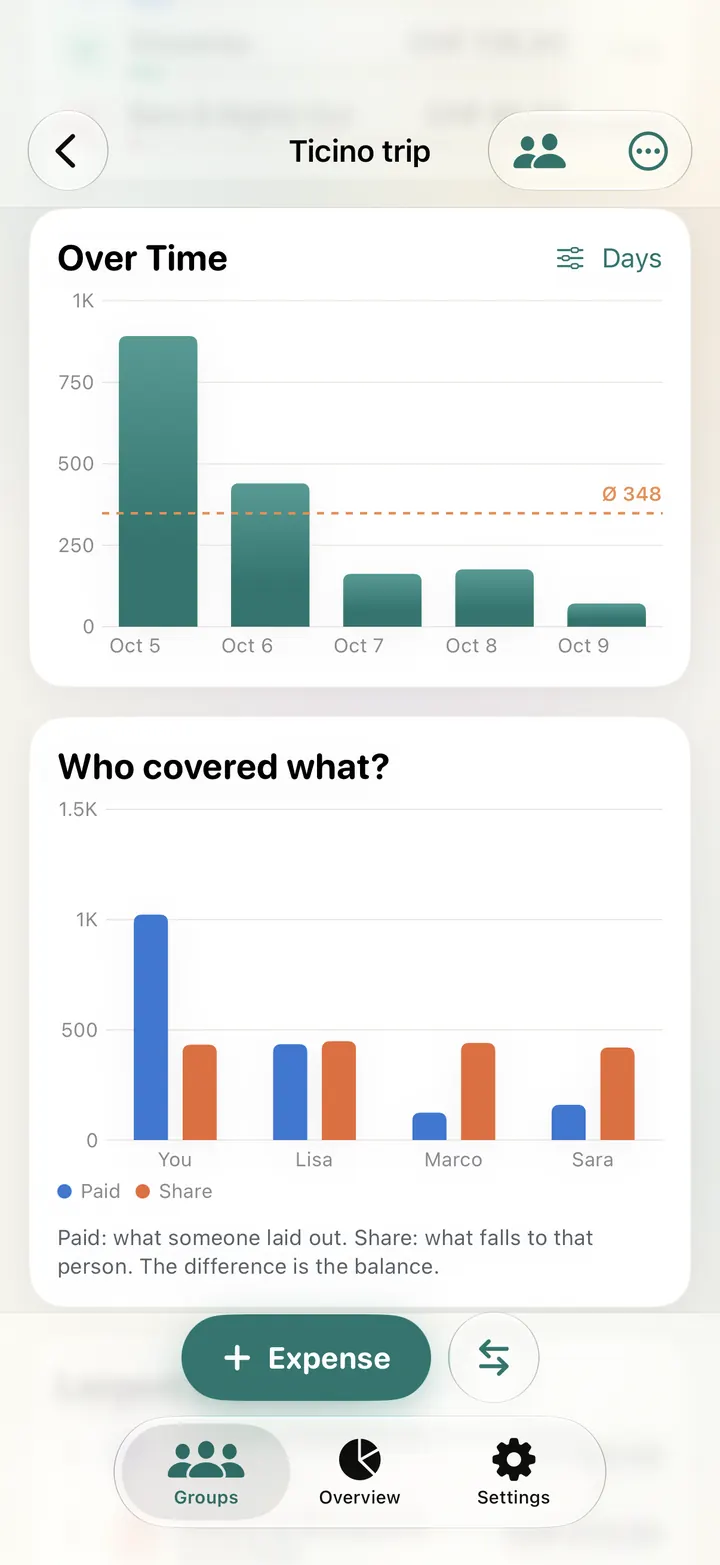
Over time
Spending per day, week or month, with the average or as a running total.
Who covered what?
For each person, what they paid and what their share was. “My Share” shows everything just for you.
Budget
How much is left and where you will end up at the current pace.
Your month
Your spending per month across all groups, going back twelve months.
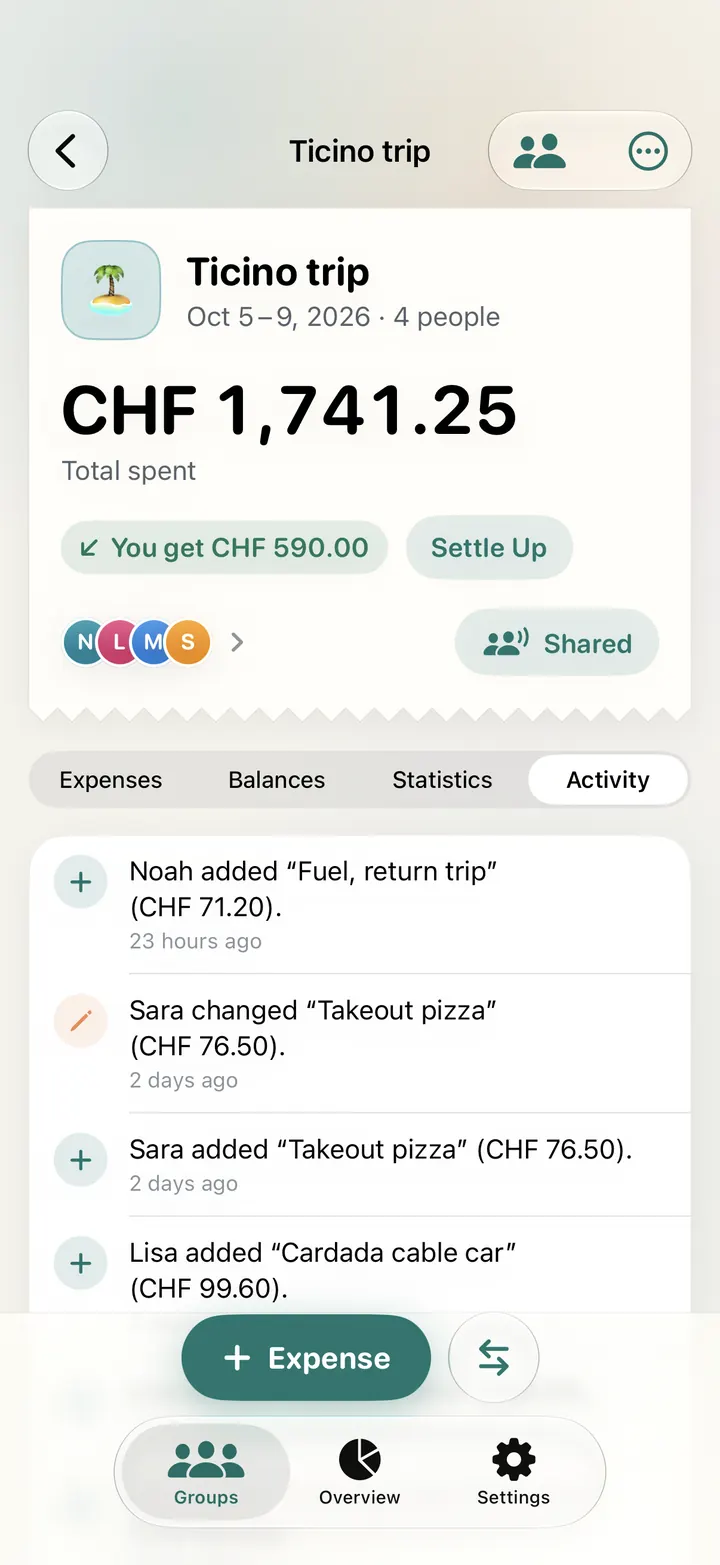
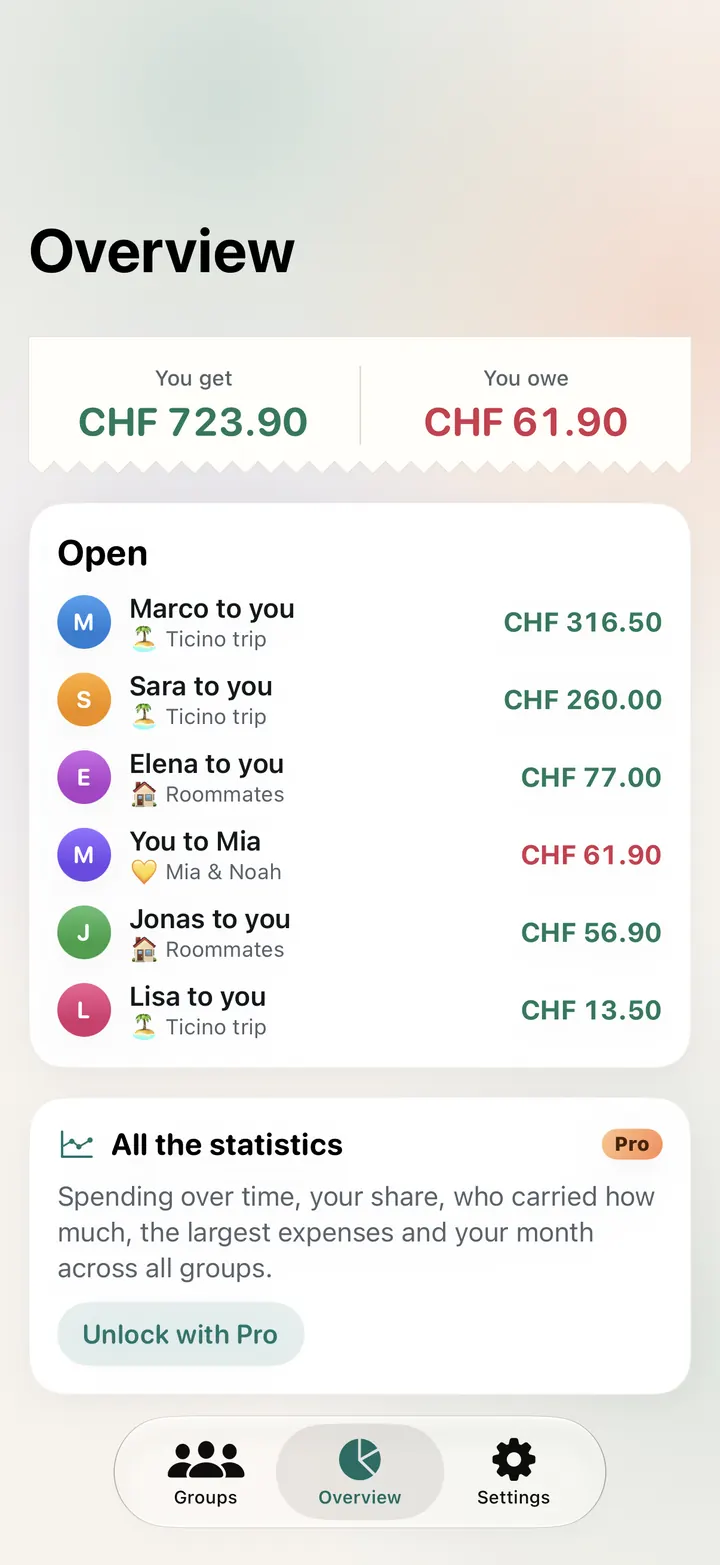
On the Mac, with a sidebar.
On the Mac, Teilo is a Mac app with menus and keyboard shortcuts, not a stretched iPhone screen. All groups sit on the left, their expenses on the right, and iCloud keeps the Mac in step with your iPhone.

- ⌘N new expense, ⌥⌘N payment, ⇧⌘N group
- Search expenses and filter by category
- Drag receipts straight into the windowPro
- One purchase covers iPhone, iPad and Mac
Small things that save arguments.
- A calculator in the amount field: “3 × 12.50 + 8” makes 45.50
- Category suggestions from the title
- Templates for a trip, a flat, a couple and an event
- Income and payments between you, such as the deposit you got back
- Payment details per person: TWINT, IBAN and PayPal.me
- Export as CSV for Excel or Numbers and as a Teilo file that doubles as a backup
- Pin and archive groups
- An example group to try things out
- Recurring expenses such as rent and subscriptions, with a note when they are duePro
- Photograph or scan receipts, and Teilo reads the amount, date and shop on the devicePro
- PDF statement to send or printPro
- Light and dark, in English and German
- “Delete All Data” in Settings, with a backup first
Sharing is free.
One group of your own, with everything it takes to share costs, is free. Groups others invite you to don't count. You need Pro for more groups of your own, receipts and all the statistics.
Free
Forever, one group of your own
- Every way to split, several payers
- 150+ currencies at the day's rate
- Balances and settling up in few payments
- Sharing through iCloud, unlimited groups from others
- Categories and overview
- Export as CSV and Teilo file

Teilo Pro
A monthly or yearly subscription, each with a one-week free trial, or a one-time purchase. The app shows the price before you buy.
- Unlimited groups of your own
- Receipts with text recognition
- All the statistics: over time, your share, who covered what, the biggest expenses, your month across all groups
- Budget with forecast
- Recurring expenses
- PDF statement
A purchase works on every device with the same Apple Account. If Pro ends, everything stays: groups, receipts and entries can still be viewed and edited.
Your spending stays yours.
Teilo has no server of its own and no account. Groups live on your devices and in iCloud, visible only to the people you invite.
No tracking
No ads and no analytics. There's no sign-up either.
Text recognition on the device
Teilo reads the amount, date and shop of a receipt right on your iPhone, iPad or Mac. Only the group sees the image.
Rates without names
For exchange rates, Teilo only asks for the currency and the date, never amounts or names. The details are in the privacy policy.
Good to know.
Does everyone in the group need Teilo?
Anyone who wants to add entries needs Teilo on an iPhone, iPad or Mac and must be signed in to iCloud. Everyone else is simply a person in the group: you add their expenses and send them the current state via WhatsApp or as a file. Teilo is not available for Android or in the browser.
Does joining a group cost anything?
No. In groups someone invites you to, you add, edit and settle up without Pro. They don't count toward the limit of one free group of your own.
How exact is Teilo?
To the cent. Every split adds up to exactly the amount, and all balances of a group add up to exactly zero. Leftover cents don't always go to the same person. With Swiss francs, Teilo rounds the payments for settling up to CHF 0.05; each group can change this.
How do foreign currencies work?
Every expense has its own currency. Teilo converts it into the group's currency at the rate of the day you spent: for about 30 currencies with the European Central Bank reference rate, for all others with a market rate. The rate stays saved with the expense. If your bank used a different rate, type it in yourself.
Does it work offline?
Yes. You add entries as usual, and they sync with the others as soon as the device is back online. Teilo then takes exchange rates from its cache, or you enter one.
Can the others see all my groups?
No. You share each group on its own. Things that only concern you, such as pinned and archived groups, stay on your device.
Can Teilo transfer money?
No, Teilo only does the math. You pay by TWINT, bank transfer or cash. If the person getting the money has added their TWINT number, IBAN or PayPal name, Teilo shows it when you settle up.
What happens when I get a new iPhone?
Sign in with the same Apple Account and your groups come back from iCloud. Without iCloud, back up all groups as a Teilo file in Settings first.
How do I cancel Pro?
Manage subscriptions in your Apple Account settings under “Subscriptions”, or in Teilo under Settings › Manage subscription. A subscription renews unless you cancel at least 24 hours before it ends. The one-time purchase never expires.
Questions or found a bug?
Write to support@neo-horizon.com. The quickest way is from the app under Settings › Contact and Feedback, which puts the version in the subject line.